
Get a summary of this article with your favorite AI
Key Highlights
- •HCPCS modifiers and units serve different purposes. Modifiers add context about an item or service, while units report the quantity defined by the code's billing instructions.
- •HCPCS modifier errors occur when a required modifier is missing, an incorrect modifier is reported, or the modifier is not supported by documentation.
- •HCPCS unit errors occur when the reported quantity does not follow the code's billing basis or applicable reporting instructions.
- •Investigating an HCPCS denial involves reviewing the remittance advice, identifying the affected claim line, comparing the code, modifier, and units with supporting records, and verifying payer rules for the date of service.
- •The right resolution depends on the discrepancy. Correct factual claim errors, submit missing documentation, or dispute a denial when the claim meets applicable reporting requirements.
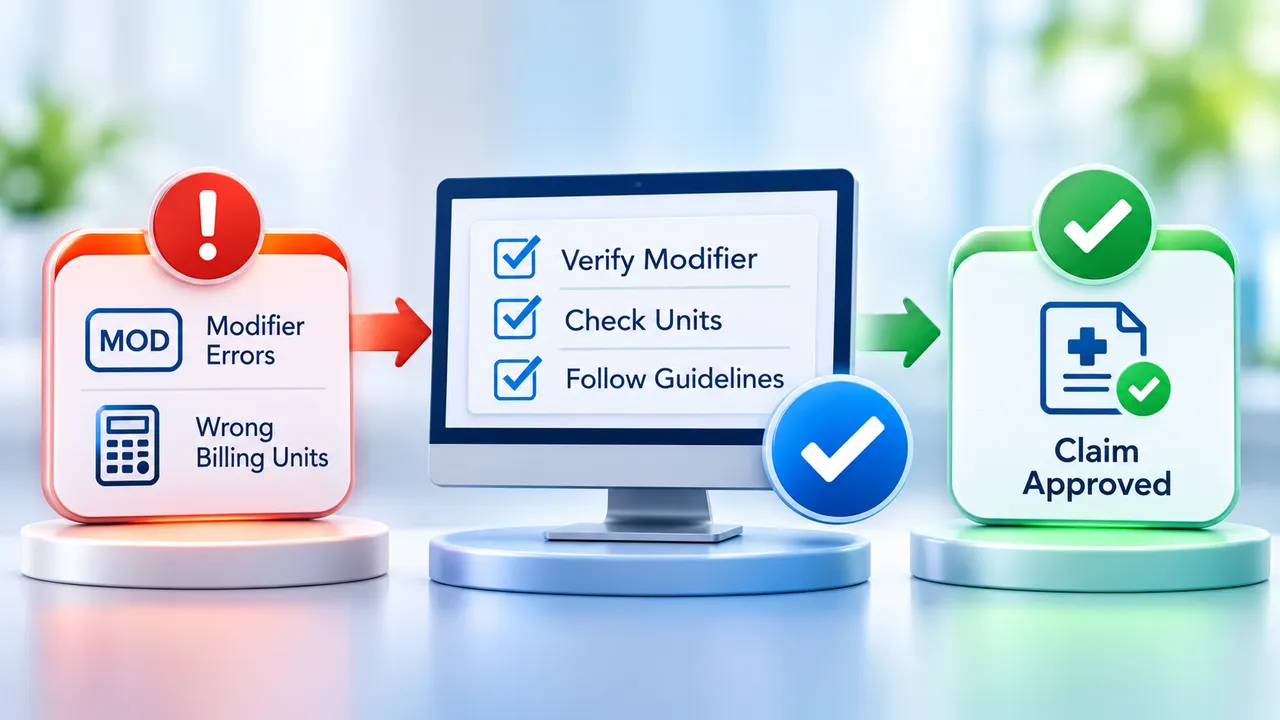
Your HCPCS claim gets denied, and the payer flags a modifier or unit discrepancy. So, what's actually wrong?
If the modifier is incorrect, you may need to correct it. If the unit count doesn't follow the code's billing instructions, you may need to adjust the quantity. And if both are inaccurate, both need attention. The key is to identify the actual issue before changing anything.
Start by reviewing the affected claim line. Compare the reported modifier and units with the HCPCS code's billing instructions and supporting documentation. This helps you spot whether the problem is with the modifier, the quantity, or both.
Here's the difference. A modifier gives the payer additional information about the item or service you're billing, while units of service (UOS) tell the payer how much you're reporting. Since they serve different purposes, each needs to be checked against its own reporting requirements.
Let's look into it further.
What Do HCPCS Modifiers and Units Tell the Payer on a Claim Line?
HCPCS modifiers and units tell the payer two different things, modifiers add context about the item or service, while units report the quantity being billed under the code's instructions. Understanding this difference is the first step toward identifying what's wrong with a claim line.
1. HCPCS Modifiers Add Context About the Item or Service Being Reported
An HCPCS modifier gives the payer additional information about the item or service you're reporting. It helps describe a relevant circumstance or characteristic that the base code alone may not communicate.
But here's something worth remembering, not every HCPCS claim needs a modifier. Whether you need one depends on the code, payer instructions, claim setting, and circumstances of the service.
For example, a supplier may need to report an item's condition using an applicable modifier. If the modifier doesn't match the item actually furnished, the claim contains inaccurate information, even if the base HCPCS code is correct.
So, before adding or changing a modifier, ask yourself, "Does this modifier accurately describe the circumstances of this particular claim line?"
2. HCPCS Units Report the Quantity Defined by the Code's Billing Instructions
HCPCS units tell the payer how much of an item or service you're billing, based on the measurement specified in the code's billing instructions.
This is where a common assumption can cause trouble: one physical item doesn't always equal one billing unit. The full HCPCS descriptor and any applicable reporting instructions determine what the quantity represents.
For example: Your team reports three units for an item because three physical components were furnished. But the applicable code instructions define the billing basis differently. Before submitting the claim, you need to check the descriptor and supporting records to confirm the correct quantity.
The distinction is simple, the modifier explains what additional context applies, while the units tell the payer how much you're reporting.
How Can You Verify the Correct HCPCS Modifier for a Specific Claim?
Verify the modifier against the exact HCPCS code, date of service, claim setting, payer instructions, and facts documented for the item or service. A modifier that works for one claim may not be required or appropriate for another.
1. Check the Exact HCPCS Code, Payer, and Date of Service Before Applying a Modifier
Start with the HCPCS Level II code on the claim and verify its descriptor and modifier instructions for the date of service. The guidance you need depends on the payer, claim setting, and provider or supplier type.
| Payer | Where to check | What to verify |
|---|---|---|
Medicare | CMS coding and billing guidance, including applicable National Correct Coding Initiative (NCCI) policies and edit files | Whether the modifier is required, permitted, or restricted for the code and claim setting |
Medicaid | The relevant state's Medicaid billing guidance and applicable Medicaid NCCI guidance | Whether state-specific requirements affect modifier reporting |
Commercial insurance | The payer's current provider manual, billing policies, and claim-specific instructions | Whether the payer has additional modifier requirements or reporting restrictions |
Before applying or changing a modifier, run through these checks:
| What to check | Question to ask |
|---|---|
HCPCS code validity | Is the code valid for the date of service? |
Modifier requirement | Does the code or payer guidance require, permit, or restrict this modifier? |
Claim setting | Does the requirement apply to this particular setting and provider or supplier type? |
Payer-specific instructions | Has the payer issued a more specific instruction for this item or service? |
CMS regularly updates HCPCS and NCCI information, so an older reference or a rule remembered from another payer may no longer apply. Check the CMS HCPCS Quarterly Update for the latest code updates and applicable files before making a change.
2. Match the Modifier to the Actual Item, Service, and Supporting Record
Once you've checked whether a modifier is applicable, make sure it matches what was actually furnished. Compare the modifier with the order, service record, delivery information, or other documentation relevant to the claim.
For example: Suppose you're reviewing a claim and notice that a modifier has been carried over from a previous submission. But this claim involves a different item or reporting circumstance. Should you use the same modifier again? Not necessarily.
Before reusing it, check whether the modifier applies to the current HCPCS code, whether the payer allows it, and whether your supporting documentation justifies its use. Just because a modifier worked on a previous claim doesn't mean it's correct for the next one.
Why Do HCPCS Modifier Errors Cause Claim Rejections or Denials?
HCPCS modifier errors can lead to rejections or denials when required information is missing, a modifier misrepresents the reporting circumstances, or the modifier combination conflicts with an applicable coding edit. The outcome depends on the payer's processing rules and the specific claim.
1. A Missing HCPCS Modifier Can Leave a Required Claim Detail Unreported
A missing modifier can make your claim incomplete when the applicable code or payer instructions require that additional information.
For instance, a payer may require a particular modifier to distinguish between two reporting circumstances for an item or service. If you leave it off, the payer may not have enough information to process the claim as submitted.
However, don't assume that every HCPCS claim needs a modifier. First confirm that it's required for the specific code, payer, setting, and date of service.
2. An Incorrect or Unsupported Modifier Can Misrepresent the Claim Circumstances
An incorrect modifier creates a mismatch between what you've reported and what your supporting records show. This can happen when a biller selects a modifier based on an assumption, copies it from an earlier claim, or overlooks a change in the item or service being reported.
For example, your claim may include a modifier describing a particular item condition, but the supplier's records indicate something different. Even if the base code is correct, the modifier still needs attention because it doesn't accurately describe the claim.
Instead of selecting another modifier just to get the claim through an edit, go back to the supporting records and verify what actually happened.
3. An Incompatible Modifier Cannot Be Used to Override a Coding Edit
Adding a modifier doesn't automatically make an otherwise incompatible code combination reportable. Under Medicare NCCI, certain modifiers may bypass specific procedure-to-procedure (PTP) edits only when the circumstances support their use and the applicable modifier rules are met.
CMS distinguishes between PTP edits that don't allow a modifier-based override and edits where an appropriate modifier may permit separate reporting when justified.
In other words, you can't add a modifier simply because the claim would otherwise fail an edit. There must be a valid reason for using it, supported by the actual circumstances.
For Medicare claims, check the current Medicare NCCI Policy Manual and applicable edit files before changing a modifier.
Is Your HCPCS Denial Caused by a Modifier Mismatch or an Incorrect Unit Count?
A unit mismatch is about the quantity reported, while a modifier mismatch is about the additional information attached to the item or service. Your claim may have either problem or both, so check each field separately before making a correction.
1. A HCPCS Unit Mismatch Means the Reported Quantity Does Not Follow the Code's Billing Basis
A unit mismatch occurs when the reported quantity doesn't match the code-defined unit or applicable billing instructions. This could be due to an incorrect quantity entry, a misunderstanding of how the code measures an item, or a difference between the claim and the source records.
When investigating a unit mismatch, ask yourself, "Does the reported quantity represent the amount of the item or service that the code instructs us to bill?"
2. A HCPCS Modifier Mismatch Means the Claim Does Not Report the Correct Additional Context
A modifier mismatch occurs when the modifier is missing, incorrect, unsupported, or inconsistent with the applicable reporting rule. Your unit count may be perfectly accurate, but the claim still needs attention if the modifier doesn't describe the reporting circumstances correctly.
Here, the important question is, "Does the modifier accurately describe what was furnished and meet the payer's requirements?"
| Claim-line problem | What should you investigate? |
|---|---|
Unit mismatch | Does the reported quantity follow the code-defined unit and applicable billing instructions? |
Modifier mismatch | Does the modifier accurately represent the item or service and satisfy the applicable requirements? |
Both fields appear inconsistent | Do the code, modifier, quantity, and supporting records agree as a complete claim line? |
Working with injectable drug claims instead? The conversion of administered drug doses into HCPCS billing units is a separate process.
How Should You Verify HCPCS Units Before Correcting the Claim Quantity?
To verify HCPCS units, check the full code descriptor, identify what one billing unit represents, and compare the reported quantity with the item or service actually furnished. Then check the applicable payer instructions and Medicare edits separately.
1. Read the HCPCS Descriptor to Identify What One Billing Unit Represents
Start with the full HCPCS descriptor. It tells you the billing basis for the code and helps you understand what the reported quantity should represent.
Locate the exact code and confirm that its descriptor applies to the date of service. Then identify the measurement used to report the item or service.
Don't assume that one unit always means one physical item. Depending on the code, the billing basis may refer to an individual item, a group of items, a defined quantity, or another specified measure.
For example: Imagine a supplier furnishes 12 individual components of a non-drug medical supply. However, the applicable HCPCS descriptor defines one billing unit as a group of 4 components.
In this hypothetical example, the reported quantity would be:
12 components ÷ 4 components per billing unit = 3 HCPCS units.
If the claim reports 12 units instead of 3, the billing specialist should investigate whether the physical quantity was mistakenly entered as the billing-unit quantity.
The important point is that you must follow the code's billing definition rather than assume that every physical item represents one HCPCS unit.
2. Reconcile the Reported HCPCS Units With the Actual Item or Service Furnished
Once you understand the code's billing basis, compare the reported quantity with the records showing what was actually provided.
Depending on the claim, these records may include the order, item description, delivery record, service documentation, or other relevant source documents.
Look for common discrepancies such as:
- A quantity entered incorrectly during claim preparation.
- A mismatch between the item furnished and the code's billing basis.
- A unit count copied from an earlier claim without checking the current record.
- A difference between the source documentation and the submitted claim line.
If the records support the reported quantity, don't reduce it simply because it looks high. First establish whether the code and payer instructions support that quantity.
3. Check Applicable Medicare MUEs Separately From the Code's Unit Definition
A Medicare Medically Unlikely Edit (MUE) helps identify when the units reported for a HCPCS or CPT code exceed the maximum quantity expected on the vast majority of appropriately reported claims under similar circumstances. However, an MUE doesn't define the code's billing unit. The code definition tells you how to calculate the units, while the MUE flags quantities that may need further review.
Not every HCPCS or CPT code has an MUE. The Centers for Medicare & Medicaid Services (CMS) publishes separate MUE files for practitioner services, outpatient hospital services, and durable medical equipment (DME) suppliers. These files are updated quarterly, so check the version that applies to your date of service.
You should also check the MUE Adjudication Indicator (MAI), which tells you how the edit is applied:
- MAI 1: A claim-line edit. The units are reviewed separately for each claim line.
- MAI 2: An absolute date-of-service edit. The limit applies to the same code across all claim lines for the same beneficiary and date of service.
- MAI 3: A clinical date-of-service edit. The limit is based on clinical considerations, and an appeal with supporting documentation may be appropriate in certain cases.
Why does the MAI matter?
The edit may review units on a single claim line or across multiple claim lines for the same date of service. For example, your HCPCS units may be correctly calculated but still exceed the applicable Medicare MUE. That doesn't automatically mean your original calculation is wrong. First, check how the edit applies to your claim.
Also, an MUE value isn't an automatic billing allowance. Exceeding the limit doesn't automatically mean your reported quantity is incorrect. Review the applicable MUE file, MAI, claim setting, supporting documentation, and Medicare instructions before deciding whether to correct the claim or take further action.
CMS resource: Visit the CMS Medicare MUE page for current MUE files, MAIs, and quarterly updates.
Also Read: How DME Billers Can Resolve Claim Denials for Delivered Medical Equipment and Secure Reimbursement
How Do You Investigate an HCPCS Modifier or Unit Denial Line by Line?
To investigate an HCPCS denial, start with the affected claim line, review the payer's explanation, compare the code, modifier, and units with the supporting records, and confirm the rule that applied on the date of service. Don't change claim fields until you've identified the actual discrepancy.
1. Start With the Remittance Advice and Identify the Affected HCPCS Claim Line
Start with the remittance advice (RA) or electronic remittance advice (ERA). Find the affected HCPCS code and review the submitted modifier, reported units, and the payer's adjustment or remark information.
Next, determine whether the claim was rejected before adjudication or denied after processing. This distinction helps you decide where to look:
- Front-end rejection: The claim may have failed a submission or formatting requirement before adjudication.
- Adjudicated denial: The payer has processed the claim and issued a decision, often with an explanation you can use to investigate the issue.
Don't rely on a general denial description alone. Connect the payer's message to the exact claim line and the fields you submitted.
2. Compare the HCPCS Code, Modifier, and Units With the Supporting Records
Now compare the complete claim line with the records supporting it. Check whether the code identifies the item or service furnished, the modifier reflects the documented circumstances, and the units follow the code's billing basis.
A quick line-by-line review can help:
| Claim detail | What to compare |
|---|---|
HCPCS code | Code and descriptor effective on the date of service |
Modifier | Reported modifier, applicable instructions, and supporting facts |
Units | Reported quantity, code-defined unit, and source records |
Payer response | Denial or rejection explanation and applicable edit |
For example, imagine you're reviewing an HCPCS denial where the payer has flagged the modifier and reported quantity. The remittance advice tells you what was questioned, but you'll still need to compare the claim line with the order, service or delivery records, and applicable billing instructions to understand what actually needs attention. For RCM heads, practice owners, and doctors overseeing billing operations, having this information connected also makes it easier to understand where claim issues are coming from and what needs to be addressed.
This is where bringing claim and supporting information together can make the review easier. When we were shaping Bill Matters, we wanted to help medical billing companies avoid piecing together denial details from multiple records manually. Its denial intelligence helps teams interpret payer responses in the context of claim information, while its evidence tools help identify relevant supporting records and potential documentation gaps. If the denial needs to be challenged, Bill Matters can also help prepare an evidence-backed appeal draft for the team to review and edit.
The billing team still verifies the applicable coding and payer rules before deciding whether to correct the claim, provide additional documentation, or dispute the denial.
3. Confirm the Payer's Current Reporting Rule Before Changing the Claim
Before changing anything, confirm the reporting rule that applied to the payer, setting, and date of service.
For Medicare, review the relevant CMS guidance and current NCCI or MUE files. For Medicaid and commercial claims, check the applicable state or payer instructions.
Why does this matter? Because Medicare, Medicaid, and commercial payer requirements aren't interchangeable. A modifier accepted by one payer may not be required by another. Reporting instructions and edits can also change over time.
If the rule isn't clear, document the source you checked and why you're recommending a correction or dispute. That way, the next person reviewing the claim can understand how you reached the decision.
Less claim chasing. More claim solving. Sounds like a fair trade, doesn't it?
Bill Matters helps your team make sense of denials, find relevant supporting evidence, and work towards the right next step.
Should You Correct the HCPCS Claim, Submit Documentation, or Appeal the Denial?
Correct the claim when the submitted modifier or unit count is factually wrong, submit supporting documentation when the claim is accurate but evidence is missing, and dispute the denial when the claim meets the applicable reporting requirements but the payer has applied them incorrectly.
| What your investigation reveals | What should you do next? |
|---|---|
The HCPCS code or modifier was entered incorrectly. | Correct the inaccurate claim information. |
The reported units don't follow the code-defined billing basis. | Recalculate and correct the quantity using the applicable instructions. |
The claim details are accurate, but supporting evidence is missing. | Submit the relevant documentation according to payer requirements. |
The claim meets applicable reporting requirements, but the payer applied the wrong rule. | Consider disputing the denial with the relevant policy and supporting records. |
The claim exceeds an applicable Medicare MUE. | Review the MAI, claim setting, code, and documentation before deciding the next step. |
1. Correct the HCPCS Claim When the Modifier or Unit Entry Is Factually Wrong
If your review confirms that the code, modifier, or quantity is inaccurate, correct the claim using the applicable correction process.
For example, you may find that the source records support a different quantity under the code's billing basis. In that case, update the claim to reflect the documented information and applicable instructions.
But don't change a modifier or reduce units just to satisfy an edit. First make sure the revised claim accurately represents the item or service furnished.
2. Submit Supporting Documentation When the Reported Claim Detail Is Accurate but Evidence Is Missing
If the modifier and unit count are correct but the payer needs more evidence to validate them, submit documentation that supports the reported claim details through the payer's requested process.
Start by identifying what the payer could not verify. Then select records that directly address that gap. Depending on the claim, these may include an order, service record, delivery information, or other documentation supporting the item, service, modifier, or reported quantity.
You don't need to send every document available. Focus on records that clearly connect the reported claim details with the applicable billing requirements. This makes it easier for the reviewer to understand why the modifier and unit count are accurate.
3. Dispute the Denial When the Claim Meets the Applicable Reporting Requirements
If your review shows that the claim was reported correctly but the payer appears to have applied the wrong rule or interpreted the evidence incorrectly, a dispute may be appropriate.
Explain the specific claim-line issue, identify the applicable reporting instruction, and point to the records supporting the submitted code, modifier, and units. Follow the payer's appeal or reconsideration process and its applicable filing deadline.
For Medicare NCCI-related denials, CMS directs providers to submit appeals to the responsible Medicare Administrative Contractor (MAC) or Qualified Independent Contractor (QIC), not the NCCI contractor.
Remember, an appeal needs a supported case. Submitting one doesn't guarantee payment.
What Should You Check Before Submitting an HCPCS Claim With Modifiers and Units?
Before submitting or correcting a non-drug HCPCS claim, review these key details to catch potential modifier and unit errors.
| Step | What to check | What you need to verify |
|---|---|---|
1 | HCPCS code and descriptor | Confirm that the code and its full descriptor apply to the date of service. |
2 | Billing unit definition | Identify what one billing unit represents under the code's instructions. |
3 | Reported quantity | Compare the reported units with the actual item or service furnished. |
4 | Modifier requirements | Check whether a modifier is required, permitted, or restricted for the payer and setting. |
5 | Modifier accuracy | Make sure the reported modifier matches the actual circumstances and supporting records. |
6 | NCCI edits and MUEs | Review applicable Medicare National Correct Coding Initiative (NCCI) edits and Medically Unlikely Edits (MUEs), where relevant. |
7 | Payer instructions | Confirm that the claim follows the payer's current reporting requirements. |
8 | Final discrepancy review | Resolve identified errors before resubmission, or document why the claim should be supported with evidence or disputed. |
One last thing, don't change a modifier or unit count just to get a claim through. Make sure every reported detail is accurate and supported before resubmitting.
Verify the HCPCS Claim Line Before You Resubmit
A modifier mismatch and a unit mismatch may appear on the same HCPCS claim line, but they need different checks. Before resubmitting, make sure the modifier describes the reporting circumstances, the units follow the code's billing basis, and your supporting records agree with both.
According to Suzanne Burmeister, BA, MPhil, a medical writer and editor who contributes to AAPC's Cardiology Coding Alert, modifiers should clarify the circumstances surrounding a service rather than compensate for incomplete documentation or unsupported code combinations. In her article, “Know the Nitty-Gritty of Modifier Use in Cardiology,” published on August 20, 2026, she states:
“Modifiers should clarify the circumstances surrounding a service, not compensate for incomplete documentation or an otherwise unsupported code combination.”
This is an important distinction when investigating denials. A modifier cannot make an unsupported claim accurate, just as a correct modifier cannot resolve an incorrect unit count. Check the payer's current requirements, verify the supporting evidence, and then decide whether the claim needs correction, additional documentation, or a dispute.